
A HAR file is a browser network log.
More specifically, HAR stands for HTTP Archive. It records the requests and responses your browser made while loading a page or reproducing an issue. Support teams ask for HAR files because they show what happened between the browser and the web application.
That makes HAR files extremely useful for troubleshooting. It also makes them sensitive.
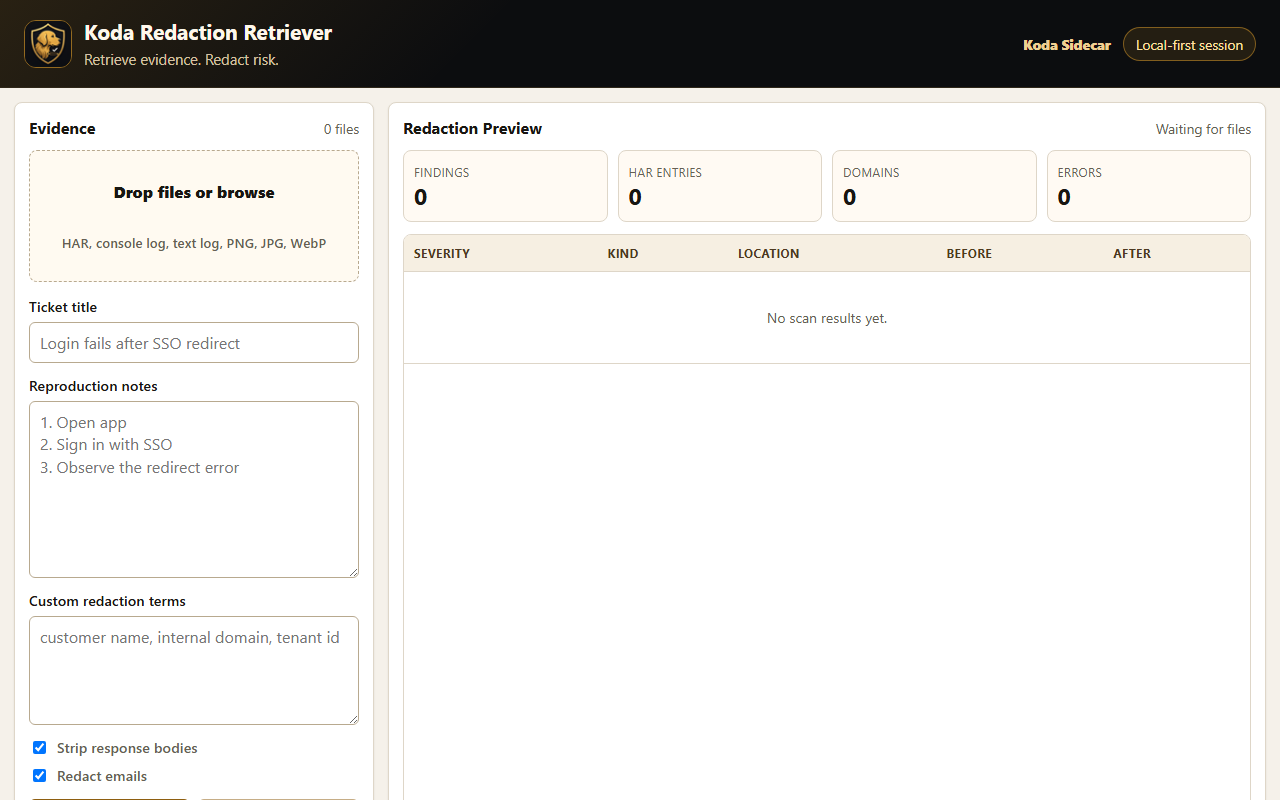
Screenshot: Redaction Retriever's local evidence workspace before a HAR file or support log is added.
What a HAR File Can Show
A HAR file can help support teams answer questions like:
- Which request failed?
- What status code came back?
- Did the browser call the expected endpoint?
- Was the request blocked, redirected, cached, or delayed?
- Did a login flow stop before or after an identity provider redirect?
- Did an API call return an error payload?
- How long did each request take?
For SaaS support, a HAR file can reduce guesswork. Instead of relying only on a screenshot, the support engineer can inspect the request flow.
What a HAR File May Contain
Depending on browser settings and the application, a HAR file may include:
- URLs.
- Query parameters.
- Request headers.
- Response headers.
- Cookies.
- Authorization headers.
- Redirect chains.
- Request and response bodies.
- Form submissions.
- Downloaded page content.
- Timing information.
- IP addresses or hostnames.
- Email addresses or account identifiers.
Modern Chrome versions exclude some sensitive headers by default, including Cookie, Set-Cookie, and Authorization, unless sensitive HAR export is enabled. That default helps reduce accidental leaks, but it does not make every HAR safe to share.
Why Support Teams Ask for HAR Files
Support teams usually ask for a HAR file when the issue is hard to diagnose from the server side alone.
Common examples:
- Login or SSO failures.
- API requests failing from the browser.
- CORS errors.
- Redirect loops.
- Slow page loads.
- Assets not loading.
- Feature flags or tenant-specific behavior.
- Browser-only errors that do not appear in backend logs.
A HAR helps connect what the customer saw with what the browser actually requested.
HAR Files Are Evidence, Not Answers
A HAR file does not automatically explain the root cause. It is evidence.
Good troubleshooting still requires:
- A clear reproduction path.
- Timestamp of the issue.
- Browser and operating system details.
- User or tenant context.
- Console logs when relevant.
- Server-side logs when available.
- A careful review for sensitive data.
The HAR tells part of the story. It should be collected with the rest of the support context.
What to Check Before Sharing a HAR File
Before sending a HAR file to a vendor or internal team, review it for:
- Cookies.
- Session tokens.
- Authorization headers.
- API keys.
- Passwords.
- Email addresses.
- Customer names.
- Submitted form data.
- Internal hostnames.
- Sensitive URLs.
- Response bodies that include private data.
If you cannot inspect or sanitize it yourself, ask your support contact whether they have a secure upload path and what fields they actually need.
What Makes a HAR Useful
A useful HAR file is:
- Captured while the issue occurs.
- Started from a clean Network tab.
- Recorded with Preserve log enabled when redirects or page reloads matter.
- Paired with reproduction steps.
- Paired with the exact timestamp.
- Sanitized before sharing.
- Not edited so aggressively that troubleshooting context is destroyed.
That last point matters. If every URL, header, and status code is removed, the file may be safe but not useful.
Simple HAR Request Template
Support teams can use this customer-safe request:
Could you capture a HAR file while reproducing the issue?

Please:
1. Open Chrome DevTools.
2. Go to the Network tab.
3. Enable Preserve log.
4. Clear the existing network entries.
5. Reproduce the issue.
6. Export the HAR file.
7. Review or sanitize the HAR before sharing it.

Please also include the timestamp, browser version, and the steps you used to reproduce the issue.
FAQ
Is a HAR file safe to share?
Not automatically. A HAR file can contain sensitive data. Review and sanitize it before sharing.
Does Chrome remove sensitive data from HAR files?
Chrome excludes some sensitive headers by default in modern versions, but HAR files can still contain sensitive URLs, query parameters, payloads, and identifiers.
Is a HAR file the same as console logs?
No. A HAR file records network requests. Console logs show browser-side JavaScript errors and messages. Support may need both.
Can a HAR file contain passwords?
It can, especially if the page sends credentials, tokens, or form data during the recording. Treat HAR files as sensitive support evidence.
CTA
Redaction Retriever by Koda Sidecar is the current Koda Sidecar HAR review workflow. It is designed to help review and sanitize HAR files, logs, screenshots, and support evidence locally before sharing.