
Most customer meetings create more than one artifact.
A support escalation may need a ticket comment, an internal diagnostic note, and a customer follow-up. An implementation call may need a checklist. A sales engineering session may need a proof-of-concept plan. A product feedback call may need a research note.
Fathom notes are a starting point. The workflow below turns them into the artifacts technical teams actually use.
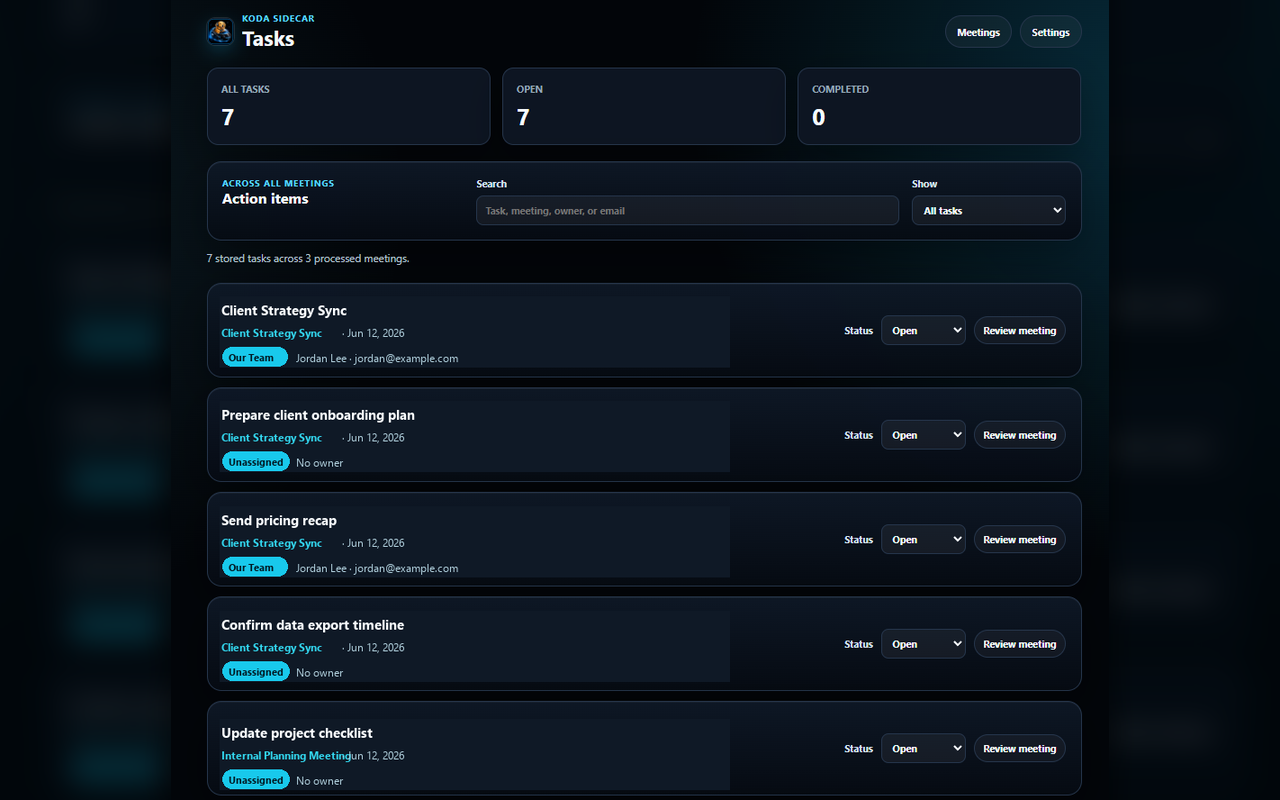
Screenshot: Koda Sidecar's task dashboard showing reviewed meeting action items across customer calls.
Start by Choosing the Output
Before editing the meeting notes, decide what the meeting needs to produce.
Common outputs:
- Ticket update.
- Customer follow-up email.
- Internal escalation note.
- Implementation checklist.
- Product feedback doc.
- Account-plan update.
- Knowledge base draft.
One meeting can produce multiple outputs, but each output should have a different audience.
Output 1: Ticket Update
A ticket update should be concise, evidence-focused, and easy to scan.
Use this structure:
Meeting:
Customer:
Issue:
Confirmed facts:
Evidence received:
Next steps:
Open questions:
Links:
Example:
Meeting: SSO troubleshooting review, 2026-06-18
Customer: Northwind Apps
Issue: Intermittent 403 after IdP redirect

Confirmed facts:
- Affected users can start login successfully.
- Failure appears after redirect back to the app.
- Customer can reproduce in Chrome.

Evidence needed:
- Fresh HAR with Preserve log enabled.
- IdP logs for the same timestamp.

Next steps:
- Customer will send a sanitized HAR.
- Support will compare the HAR against successful login trace.
Do not paste the entire Fathom summary into the ticket unless it is unusually short.
Output 2: Customer Follow-Up
Customer follow-up should confirm shared understanding and next steps. It should avoid internal debugging speculation.
Use this structure:
Thanks:
What we confirmed:
Next steps:
What we need from you:
When we will follow up:
Example:
Thanks for walking through the SSO behavior today.

What we confirmed:
- The error appears after the IdP redirect.
- The issue is intermittent and affects two admins.

Next steps:
- Your team will reproduce the issue and share a sanitized HAR.
- We will compare it against the last successful login trace.

I'll update the ticket after reviewing the capture.
Output 3: Internal Escalation Note
Internal escalation notes can include more diagnostic context than customer-facing messages.
Use this structure:
Escalation reason:
Impact:
Evidence:
Suspected area:
What has been ruled out:
Next diagnostic step:
Customer visibility:
Example:
Escalation reason: Intermittent auth failure during SSO redirect.
Impact: Two customer admins blocked from admin workflow.
Evidence: Customer can reproduce in Chrome; new HAR pending.
Suspected area: Redirect handling or token exchange.
Ruled out: Initial login page load.
Next diagnostic step: Compare failed HAR against successful trace and IdP logs.
Customer visibility: Customer expects ticket update after HAR review.
Output 4: Implementation Checklist
Implementation calls often produce tasks that need to be completed in order.
Use checklist format:
- [ ] Confirm admin access.
- [ ] Configure SAML metadata.
- [ ] Validate redirect URL.
- [ ] Test login with internal user.
- [ ] Test login with customer admin.
- [ ] Document rollback path.
Add owner and due date only when needed:
- [ ] Customer: send IdP metadata by Friday.
- [ ] Implementation: configure sandbox SAML app before Tuesday test call.
Output 5: Product Feedback Doc
Product feedback should not be a raw transcript. It should extract signal.
Use this structure:
Customer type:
Workflow:
Pain:
Current workaround:
Quote or transcript reference:
Frequency:
Revenue or risk:
Suggested follow-up:
Example:
Customer type: Mid-market SaaS admin team
Workflow: SSO troubleshooting
Pain: Customer cannot tell whether failure is IdP-side or app-side.
Current workaround: Support requests HAR and IdP logs manually.
Transcript reference: 00:22:14
Suggested follow-up: Add clearer auth error diagnostics to the product feedback backlog.
How to Decide Where Each Note Goes
Use this rule:
- If it helps the customer know what happens next, put it in the customer follow-up.
- If it helps support troubleshoot, put it in the ticket.
- If it helps another internal team act, put it in the escalation note.
- If it repeats across customers, put it in product feedback.
- If it defines a repeatable sequence, put it in a checklist.
Do not force every detail into every artifact.
Tool-Specific Examples
Jira
Use the meeting note to create a focused issue comment or escalation ticket:
Summary: SSO 403 after IdP redirect

Customer impact:
- Two customer admins intermittently blocked after login.

Evidence:
- Fresh HAR requested with Preserve log enabled.
- IdP logs requested for matching timestamp.

Next steps:
- Customer will send sanitized HAR.
- Support will compare failed request flow against successful trace.
Linear
Use a short issue with labels and an owner:
Title: Compare failed SSO HAR with successful login trace
Label: support-escalation, auth
Owner: Support

Context:
Customer reproduced intermittent 403 after IdP redirect.

Done when:
- Failed request is identified.
- Logs are correlated by timestamp.
- Customer-facing ticket update is posted.
Zendesk
Use the reviewed notes to write a customer-safe public reply and a separate internal note:
Public reply:
Thanks for reproducing the SSO behavior today. Please send a sanitized HAR from the failed login
flow, including the timestamp and timezone. We will compare that against the last successful trace.

Internal note:
Check whether the failed HAR includes the redirect back to the app and whether Chrome omitted
Cookie or Authorization headers by default.
GitHub Issues
Use a checklist when the meeting creates implementation or documentation work:
- [ ] Add SSO troubleshooting note to customer docs.
- [ ] Confirm expected redirect URL in sandbox.
- [ ] Document what HAR fields support needs for auth escalations.
Practical Workflow
- Export or review the Fathom summary and action items.
- Identify the meeting type.
- Pick the needed outputs.
- Create the ticket update first.
- Create the customer follow-up second.
- Create internal notes only if needed.
- Link everything back to the Fathom recording.
- Archive the reviewed outputs.
FAQ
Should I copy the Fathom summary into the ticket?
Usually no. Rewrite the summary into a ticket-shaped update. Tickets need status, evidence, and next steps.
Should customer follow-up include internal action items?
Only include internal tasks that are safe and useful for the customer to know. Keep diagnostic speculation internal.
Should product feedback include the full transcript?
No. Include the signal, context, and a link or timestamp for verification.
What should happen to the original Fathom notes?
Keep them as source material. The reviewed outputs are what should drive work.
CTA
Koda Sidecar's Fathom Action Items & Exporter is built for turning Fathom meeting records into reviewed follow-up, exports, and practical handoff files.