
Customer-facing technical teams live in the gap between conversation and execution.
Fathom helps capture the conversation. The team still has to turn that capture into follow-up, tickets, checklists, docs, and internal handoffs. The right workflow depends on the team.
This guide breaks down practical Fathom follow-up workflows for support, sales engineering, customer success, implementation, and technical founders.
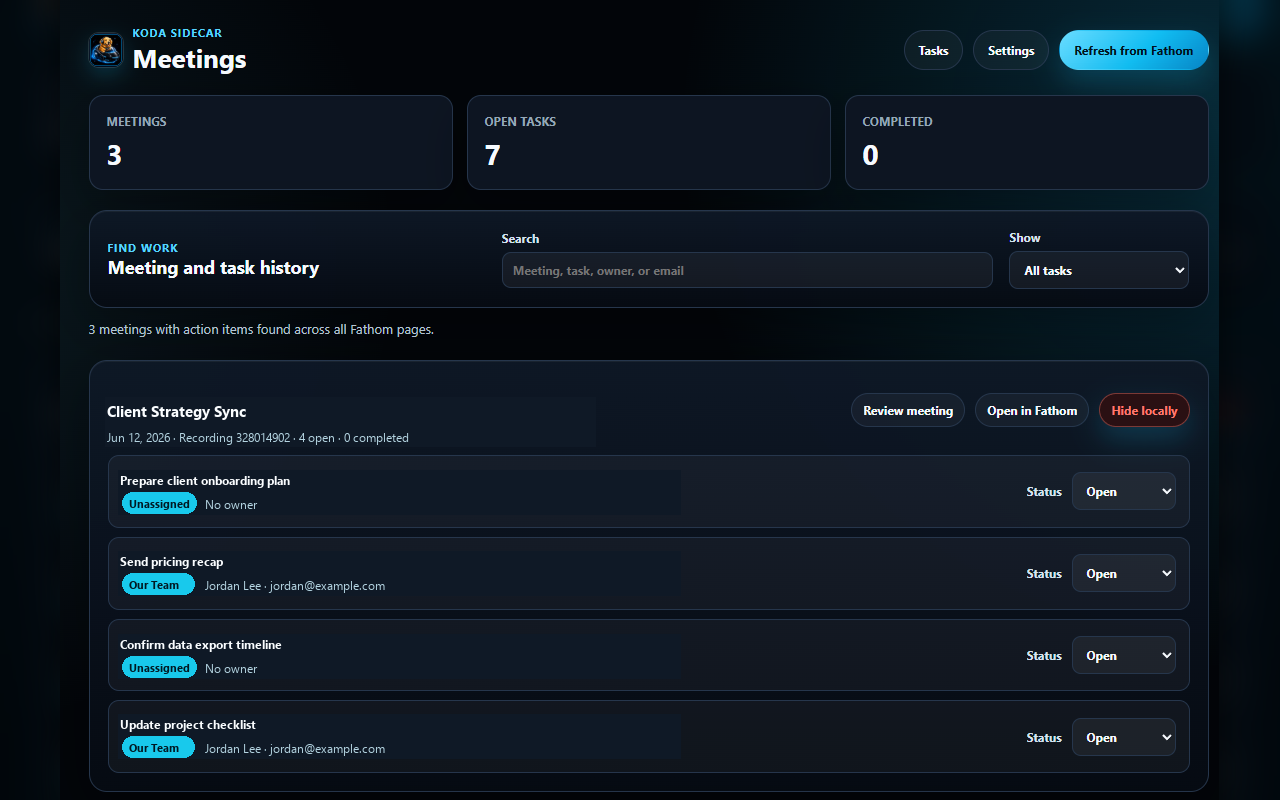
Screenshot: Koda Sidecar's meetings dashboard showing recent Fathom meetings and open task counts.
The Shared Follow-Up Pattern
Most technical customer meetings need the same basic review:
- Confirm the meeting outcome.
- Review action items.
- Correct owners.
- Separate customer-facing and internal notes.
- Create the next artifact.
- Link back to the original recording.
The artifact changes by team. The review habit stays the same.
Support Workflow
Support meetings usually start with ambiguity. The customer reports behavior, the team asks for evidence, and the next step is often diagnostic.
What Support Should Extract
- Reproduction steps.
- Error messages.
- Environment details.
- Browser, device, and tenant context.
- Evidence requested or received.
- Next diagnostic step.
- Customer impact.
Best Outputs
- Ticket update.
- Escalation summary.
- Evidence request checklist.
- Internal diagnostic note.
Example Support Follow-Up
Thanks for reproducing the issue today.

What we confirmed:
- The 403 appears after the SSO redirect.
- The issue reproduces in Chrome for two admins.

Next steps:
- Please capture a fresh HAR with Preserve log enabled and sanitize it before sharing.
- We will compare the failed request flow against the successful trace from last week.
Sales Engineering Workflow
Sales engineering meetings produce requirements, technical constraints, and risk.
What Sales Engineering Should Extract
- Required integrations.
- Security or compliance requirements.
- Buyer concerns.
- Technical blockers.
- Proof-of-concept success criteria.
- Decision process.
- Mutual action plan items.
Best Outputs
- POC checklist.
- Mutual action plan.
- Technical requirements doc.
- Security follow-up.
Example Sales Engineering Follow-Up
Confirmed requirements:
- SAML SSO for admin users.
- SCIM user provisioning in phase two.
- Sandbox validation before production rollout.

Next steps:
- Customer will send IdP metadata.
- SE team will prepare sandbox configuration steps.
- Both teams will test login flow during next week's working session.
Customer Success Workflow
Customer success meetings often mix relationship context with operational details.
What Customer Success Should Extract
- Adoption blockers.
- Stakeholder changes.
- Renewal risk.
- Training needs.
- Expansion opportunities.
- Support dependencies.
- Follow-up commitments.
Best Outputs
- Account-plan update.
- Renewal risk note.
- Internal handoff.
- Customer recap.
Example Customer Success Follow-Up
Thanks for the rollout update.

Main takeaways:
- Admin team is comfortable with the workflow.
- End-user adoption is slower in the finance group.
- The customer wants a shorter training checklist before expanding.

Next steps:
- CS will send a simplified onboarding checklist.
- Customer will identify two finance users for a guided session.
Implementation Workflow
Implementation calls create sequential work. The notes should become a checklist quickly.
What Implementation Should Extract
- Setup prerequisites.
- Customer-owned configuration steps.
- Internal configuration steps.
- Test plan.
- Rollback plan.
- Launch date.
- Open risks.
Best Outputs
- Implementation checklist.
- Launch plan.
- Status update.
- Handoff doc.
Example Implementation Checklist
- [ ] Customer: confirm admin account access.
- [ ] Customer: send SAML metadata.
- [ ] Implementation: configure sandbox SSO.
- [ ] Both teams: test login with one internal user.
- [ ] Implementation: document production rollout steps.
Technical Founder Workflow
Founders should use Fathom notes to find signal without creating a giant archive no one reads.
What Founders Should Extract
- Repeated customer pain.
- Unclear positioning.
- Feature requests.
- Workflow evidence.
- Objection patterns.
- Support burden.
- Language customers use.
Best Outputs
- Product feedback note.
- Landing page copy input.
- Support automation idea.
- Follow-up email.
Example Founder Note
Signal: Customers are worried about sharing raw HAR files with vendors.
Evidence: Three support/security buyers mentioned sanitization before upload.
Opportunity: Local-first HAR review workflow may reduce sharing friction.
Next step: Test landing page copy around customer-safe support bundles.
How to Keep Follow-Up Lightweight
Do not build a giant process around every call. Use a simple rule:
- Routine meeting: summary plus action items.
- Customer-facing meeting: reviewed follow-up email.
- Support meeting: ticket update.
- Escalation: ticket update plus internal note.
- Implementation meeting: checklist.
- Strategic meeting: archive plus product/account note.
The level of documentation should match the risk and value of the meeting.
FAQ
Is Fathom enough by itself for follow-up?
Fathom captures useful meeting context. Most teams still need a review step before sending customer-facing updates or creating tickets.
Who should own meeting follow-up?
The person accountable for the next customer outcome should own it. That may be support, CS, SE, implementation, or the founder.
Should every team use the same template?
Use the same review habit, but not the same output. Support tickets and account-plan updates need different structures.
How soon should follow-up happen?
For customer-facing technical meetings, same day is best. The longer the delay, the more likely context gets lost.
CTA
Koda Sidecar's Fathom Action Items & Exporter is an independent Chrome workflow for reviewing action items, drafting follow-up, and exporting meeting records.