
Before installing a Chrome extension, compare what it asks for against what it actually does.
The safest extensions are not just the ones with friendly copy or high ratings. They have narrow permissions, a publisher you can identify, a privacy policy that explains data use, recent maintenance, and reviews that do not show a pattern of suspicious behavior.
This checklist is for people who want useful browser tools without casually handing every page, token, or customer record to software they have not reviewed.
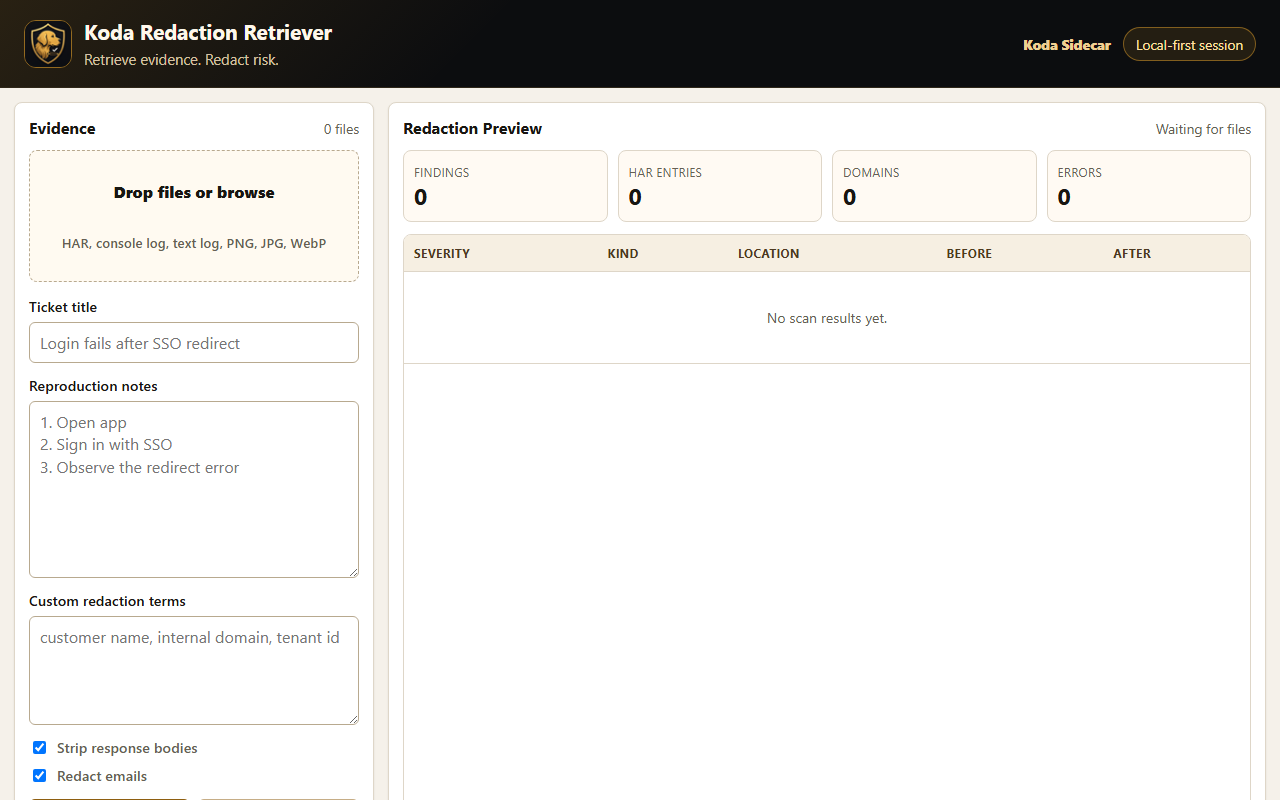
Screenshot: Redaction Retriever is an example of Koda Sidecar's local-first approach to browser evidence review.
The 60-Second Safety Review
Ask five questions before installing:
- Does the permission request match the feature?
- Can I identify the publisher?
- Does the privacy policy say what data is collected, where it goes, and why?
- Do recent reviews mention redirects, ads, search hijacking, surprise behavior, or broken trust?
- Has the extension been maintained recently enough for the kind of access it requests?
If one answer is weak, slow down. If two or more are weak, skip the install unless the tool is essential and your team has another way to review it.
Permission Fit Matters Most
Permissions are not automatically bad. A screenshot tool, password manager, accessibility helper, or support workflow extension may need page access to do useful work.
The warning sign is mismatch.
Examples:
- A page redaction or screenshot tool may need access to the current page when you use it.
- A meeting export tool may need access to its product's API or a user-provided API key.
- A simple calculator should not need to read and change data on every website.
- A prompt snippet tool should not need broad site access unless the user enables insertion on selected sites.
Good extensions explain why access is needed in normal language. The more powerful the permission, the clearer the explanation should be.
Publisher Trust Signals
Look for:
- A working product website.
- A support contact.
- A privacy policy.
- Consistent product and publisher names.
- Clear screenshots or documentation.
- A narrow feature promise.
Be more careful with anonymous publishers, vague product pages, copied descriptions, or extension listings that make broad claims without explaining the data path.
Privacy Policy Checks
A useful Chrome extension privacy policy should answer:
- What data does the extension read?
- Is anything sent to a server?
- Is data stored locally, synced, or shared with third parties?
- Are API keys, HAR files, screenshots, transcripts, or customer records processed?
- How can a user ask questions or request deletion?
For sensitive workflows, local-first behavior is a strong trust signal. It does not remove every risk, but it reduces the number of places private data can travel.
Review and Update Red Flags
Recent reviews matter more than old averages. Read low-star reviews first.
Watch for:
- "It changed my search engine."
- "It injected ads."
- "It redirects pages."
- "It stopped working after an update."
- "Support never replied."
- "It asks for too much access."
Also check whether the extension looks abandoned. An extension with powerful permissions and no recent maintenance deserves more scrutiny than a small one-click utility.
What Koda Sidecar Looks for Before Shipping a Chrome App
Koda Sidecar's own review bar is simple:
- Ask for the narrowest useful access.
- Explain why access exists.
- Prefer local processing for sensitive files and notes.
- Keep exports readable and portable.
- Make the privacy and support path easy to find.
- Do not hide important behavior behind vague AI or automation language.
That standard is useful when reviewing any extension, even one we did not build.
Chrome Extension Safety Checklist
Use this before installing a tool for customer, support, or meeting workflows:
- The feature promise is specific.
- The requested permissions make sense for that feature.
- The publisher has a real website or support page.
- The privacy policy explains data collection and sharing.
- Recent reviews do not show trust-breaking behavior.
- The extension has been updated recently enough for its risk level.
- Sensitive work stays local unless the product clearly explains otherwise.
- Your team knows what files, pages, or accounts the extension may touch.
FAQ
Are Chrome extensions safe?
Many are, but "safe" depends on permissions, publisher trust, data handling, and maintenance. Review the extension before giving it access to sensitive pages or work data.
Are broad Chrome extension permissions always bad?
No. Broad permissions can be legitimate when the feature needs page access. The permission should match the feature and be explained clearly.
Can reviews prove a Chrome extension is safe?
No. Reviews are only one signal. Use them with permission review, publisher checks, privacy policy review, and your own judgment.
What is the safest kind of Chrome extension to install?
The safest extensions tend to have narrow permissions, user-triggered actions, clear data handling, visible support, and a feature that is easy to understand.
CTA
Koda Sidecar builds focused Chrome apps for practical workflows: reviewing support evidence, exporting meeting records, and keeping sensitive data paths easier to understand.
If you are reviewing HAR files, logs, screenshots, or reproduction notes before sharing them, Redaction Retriever is the current Koda Sidecar local-first workflow.